your ownsheets
Spreadsheets with formulas, charts and Excel files, edited together on your own server.
eigen|sheets⟩ is the spreadsheet app in Eigen. You type a formula, the totals update, and everyone with the sheet open sees it happen. It saves as you work, so there is no Save button.
Working together
Several people can edit the same sheet at the same time. Their changes merge as they type, so nobody overwrites anyone.
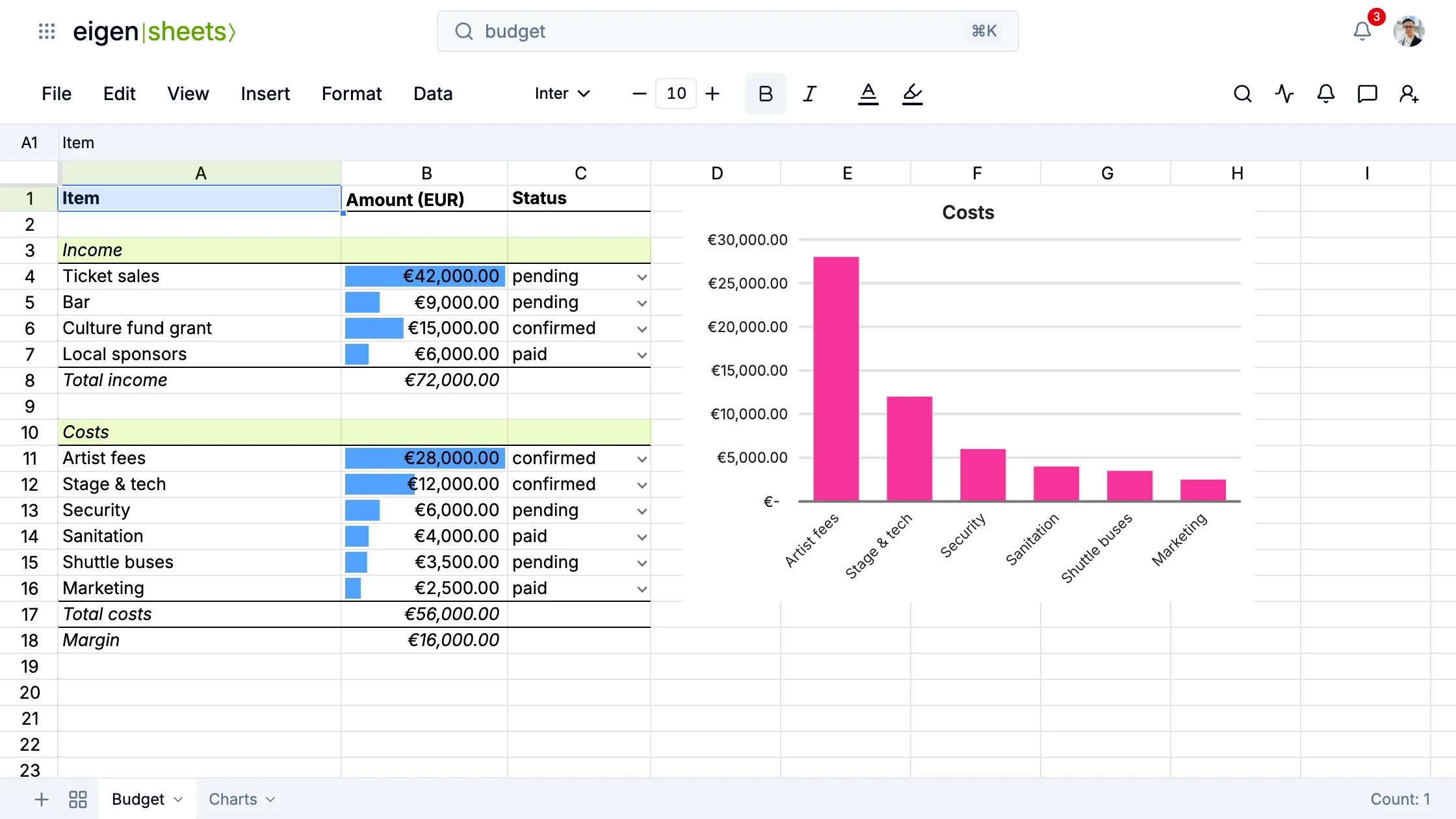
The festival has one budget. Bram keeps it, and Anouk has it open too. She clicks the Security line, and Bram sees which cell she is in. She types a new amount, and it is on his screen too.
You share a sheet with people, a team or a link, and you can leave a comment on a cell without touching its value.
Formulas and Excel files
Formulas work the way you expect: type =, pick a function from the autocomplete, click cells to add them. Bram turns the Security line into guards times hours times rate, =14*40*16, and the total costs and the margin follow.
Conditional formatting and data validation keep a sheet readable when many people fill it in. In the budget every amount has a bar as long as it is big, and the margin turns red below zero. The status of a line comes from a list: confirmed, pending or paid.
You can bring your .xlsx files. An import keeps the values, formulas, formatting, charts and images. The generator hire mailed its quote as an Excel file, and Saar opened it as a sheet in the team drive. When you leave, you download the sheet as Excel, PDF or a web page.
Charts
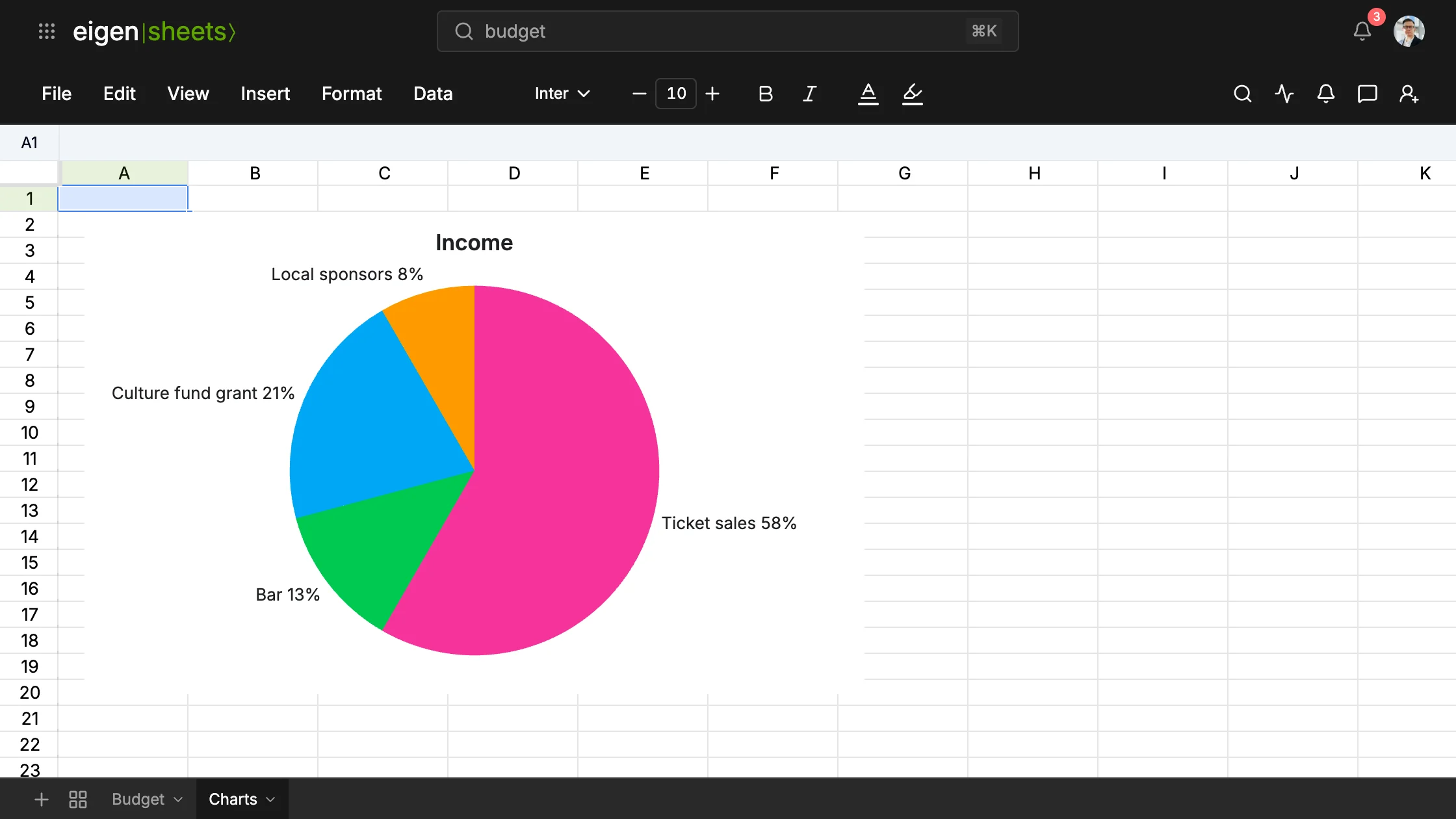
Select a table and insert a chart: column, bar, line or pie. The chart reads its cells, so it changes as soon as a number does. In the budget a column chart of the costs sits beside the table. Bram raises the stage and tech line, and its bar grows.