your ownchat
Rooms for the people you work with and for your whole team, with files, mentions and a long list of emotes, on your own server.
eigen|chat⟩ is the messaging app in Eigen. Your rooms are in the sidebar, your own at the top and your teams' below them, and you type at the bottom of the room. It is plain text, files and slash commands.
Rooms for people and for teams
A personal room lives in your own Drive, and you decide who reads it and who writes in it. A team room belongs to the team, so every member sees it and access follows who is in the team.
The festival crew has a room for production and one for the volunteers. In production Timo warns that Sunday turns windy. Sanne suggests moving the quiet acts to the barn stage, and Anouk says they decide at the go/no-go meeting. The whole crew can read along, and so can whoever joins the team next week.
If you start a chat with exactly the people you already have a room with, that room opens instead of a second one.
As it happens
A message shows up for everyone in the room while they look at it. Type @ and a list of the room's members appears to pick from.
A room you wrote in gets a dot when something new arrives. The bell tells you about mentions, whispers and new messages in your rooms.
You can edit or delete your own messages. A deleted one is gone for good, files included.
Emotes and commands
Type / and Chat suggests what you can type. There are more than 80 emotes, such as /groan, /highfive and /cheer. Saar answers the wind forecast with a groan, which says enough.
Many emotes take a person, and that changes what everyone sees. Anouk reads "You thank Timo Jansen", Timo reads "Anouk de Wit thanks you" and the rest of the room "Anouk de Wit thanks Timo Jansen".
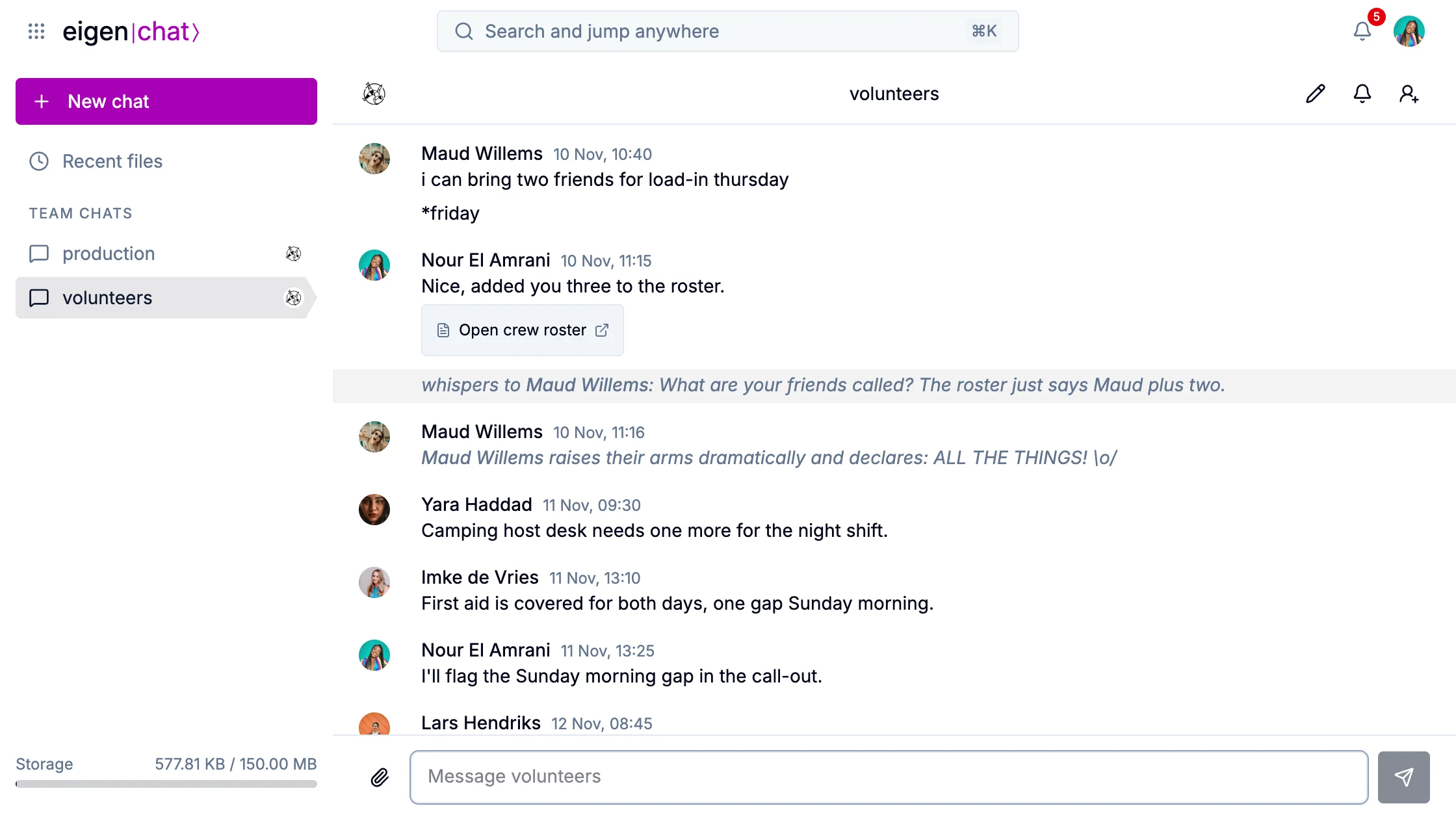
/me writes your own, and /whisper sends a line only one person can read; the rest of the room sees a placeholder.
Files in a chat
The paperclip attaches a file from Drive or your computer, and you can paste an image straight in. A document, sheet or deck goes as a link, so whoever opens it needs access to it. When Nour adds three people to the crew roster, she posts the roster in the volunteers room, and everyone opens the same document.
A file you receive opens in a preview, saves to Drive, or turns into a sheet, document or deck if it came as Excel, Word or PowerPoint.